
Image to Video AI Workflows for Marketers and Filmmakers
How Image to Video AI fits into the real workflows of marketers and filmmakers — where it accelerates work, where it falls short, and how to structure both.
WearAI Team
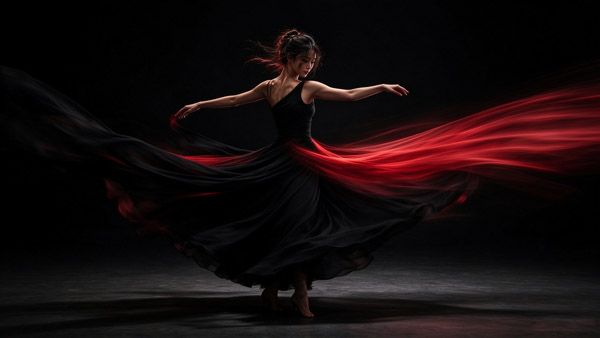
Image to Video AI succeeds or fails depending less on the model than on the workflow built around it — and marketers and filmmakers need very different workflows from the same tool.
WearAI Team
Two Professions, Two Definitions of Success
The same technology serves two audiences whose measurements of "good" barely overlap.
What Marketers Measure
Marketing judges output by effect: does the clip hold attention, communicate the message, and ship on time. Volume matters, iteration speed matters, and consistency across a campaign matters. A clip that is beautiful but late, or beautiful but unlike its siblings, fails professionally.
What Filmmakers Measure
Filmmaking judges output by craft: does the motion serve the scene, does it hold up at full resolution, does it respect continuity. Volume is low and scrutiny is high. A single shot may be revised repeatedly, and the standard is the surrounding footage, not the tool's other outputs.
Why the Distinction Matters
A workflow tuned for one audience miserves the other. The marketer's rapid-production loop produces results a filmmaker would reject; the filmmaker's shot-by-shot discipline would bury a marketing calendar. Understanding Image to Video AI means understanding which loop you are actually running.
The Marketer's Workflow: Volume with Consistency
Stage One: Establish the Visual Anchor
Campaigns begin with a small set of strong stills — product shots, key visuals, hero frames. These anchors are chosen before any animation happens, because the animated output inherits every strength and weakness of the source image. Investing here pays across every clip derived later.
Stage Two: Build a Motion Library
Rather than animating each asset from scratch, effective teams develop a small vocabulary of motion patterns — subtle push-ins, ambient drift, product turns — matched to the brand. Applying a known pattern to a new still keeps a whole campaign visually coherent, which is the property audiences perceive as "professional."
Stage Three: Batch and Adapt
With anchors and patterns defined, production becomes parallel: many stills through the same motion recipe, producing a family of clips that share a look. From there, adaptation is cheap — different durations, aspect ratios, and intros derived from the same base clip for each placement.
Where the Workflow Breaks
The failure modes are predictable: motion too strong for a static brand, inconsistent results across a batch, and quota exhaustion mid-campaign. Each has the same remedy — constrain motion early, judge every clip against the anchor set, and budget generation volume like any other resource.
The Filmmaker's Workflow: Craft with Control
Stage One: Previsualisation
For filmmakers, the first use is rarely final footage — it is seeing the scene before committing to it. Storyboards and concept stills become moving frames, testing composition, light, and pacing at a fraction of the cost of a shoot. Decisions made here shape everything downstream, which makes previsualisation the highest-leverage application of Image to Video AI in film work.
Stage Two: Shot Development
Where a generated shot will actually appear, development becomes iterative and narrow: one shot, many versions, evaluated against the edit's neighbours. The discipline that separates professional use from novelty is refusing to accept a shot merely because it is impressive in isolation — it must survive the cut.
Stage Three: Integration
The generated shot must match graded footage, film grain, motion blur behaviour, and the physical logic of surrounding scenes. This stage is largely traditional post-production: colour matching, stabilisation, and occasional repair. The generator produces the performance; the editor produces the coherence.
Where the Workflow Breaks
Identity drift across a long shot, temporal flicker in fine texture, and the difficulty of repeating an exact result are the standing obstacles. The countermeasures are structural: shorter shots, conservative motion, anchor frames placed deliberately, and settings recorded the moment a take is approved.
What Both Workflows Share
The Source Image Is the Contract
In both professions, the still image constrains the result. Motion strength that would flatter a richly textured scene will destroy a clean product shot; motion that suits a loose sketch will fight a precise photograph. Choosing or building the source image with its future motion in mind is the habit that most improves output in both fields.
Restraint Scales Better Than Ambition
In both loops, the strongest results come from motion that is felt rather than noticed. Ambient movement, subtle camera work, and restrained subject motion survive scrutiny; dramatic invented action invites it.
The Human Decision Point
Neither workflow runs unattended. Someone must judge which output ships — and that judgement is the actual job. The tool generates options; the professional selects, adjusts, and takes responsibility for the result. Teams that treat Image to Video AI as a decision-support engine outperform teams that treat it as an output machine.
Choosing Tools Around the Workflow
For Marketing Loops
Prioritise iteration speed, batch capability, aspect-ratio flexibility, and predictable cost at volume. Output quality matters up to "better than nothing and consistent" — beyond that, speed wins campaigns.
For Filmmaking Loops
Prioritise maximum quality per shot, motion control depth, seed and setting reproducibility, and full-resolution output. Speed matters, but a tool that cannot hold a subject's identity across a shot is unusable regardless of pace.
The Honest Middle
Most real work is hybrid: marketing teams occasionally need one hero shot done properly, and filmmakers need volume during previz. Tools that serve both extremes well are rare; knowing which mode you are in today, and switching tools accordingly, beats searching for a single universal choice.
Image to Video AI FAQ
How is a marketing workflow different from a filmmaking workflow? Marketing optimises for volume, speed, and consistency across many clips; filmmaking optimises for quality, control, and continuity within few shots. The same tool serves both only if the surrounding process differs.
What is the most important asset in these workflows? The source image. Every animated result inherits its composition, lighting, and texture quality, so the still deserves more attention than any setting.
How do teams keep a campaign looking consistent? With a defined motion vocabulary applied across all stills, conservative motion strength, and every clip judged against a shared set of anchor images.
Can generated shots be used in real edits? Increasingly yes, at short durations and with restrained motion — provided they are colour-matched and judged within the surrounding footage, never in isolation.
Why do long generated shots degrade? Because generative motion re-renders the scene over time and small inconsistencies accumulate. Shorter shots, anchor frames, and lower motion strength all slow the drift.
Where should a team start? Previsualisation or social content — uses where the tolerance for imperfection is highest and the learning is fastest — then move toward more demanding applications as judgement develops.